

Guide
Using the API
Replace OpenAI's base_url with the platform address and use your token as the api_key
Replace OpenAI's base_url with the platform address and use your platform-issued token as the api_key to start calling.
Playground
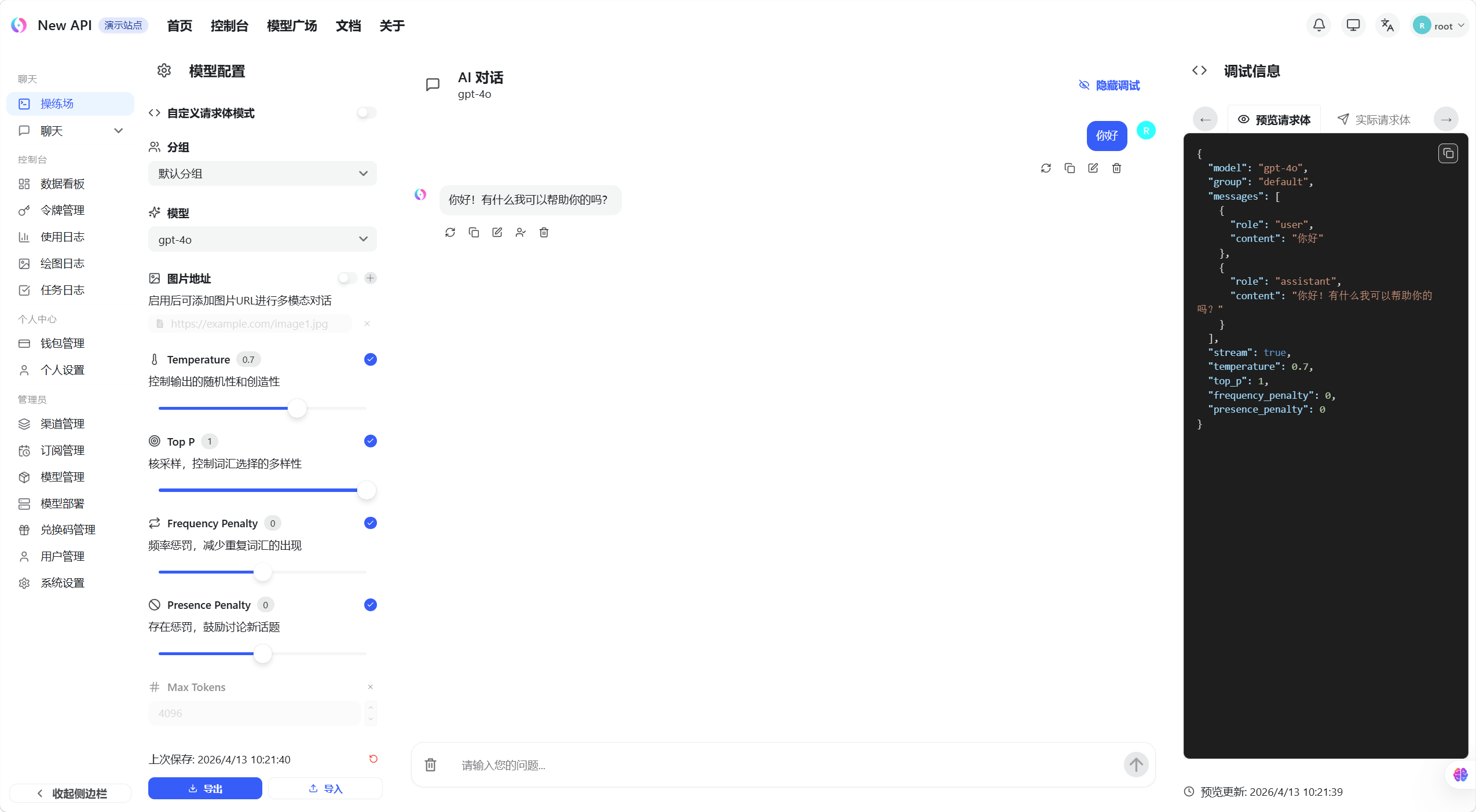
Playground is a built-in online testing tool. You can chat with models directly without writing any code — ideal for quickly verifying that your token works.
- Click "Playground" in the left sidebar, or visit
/console/playgrounddirectly
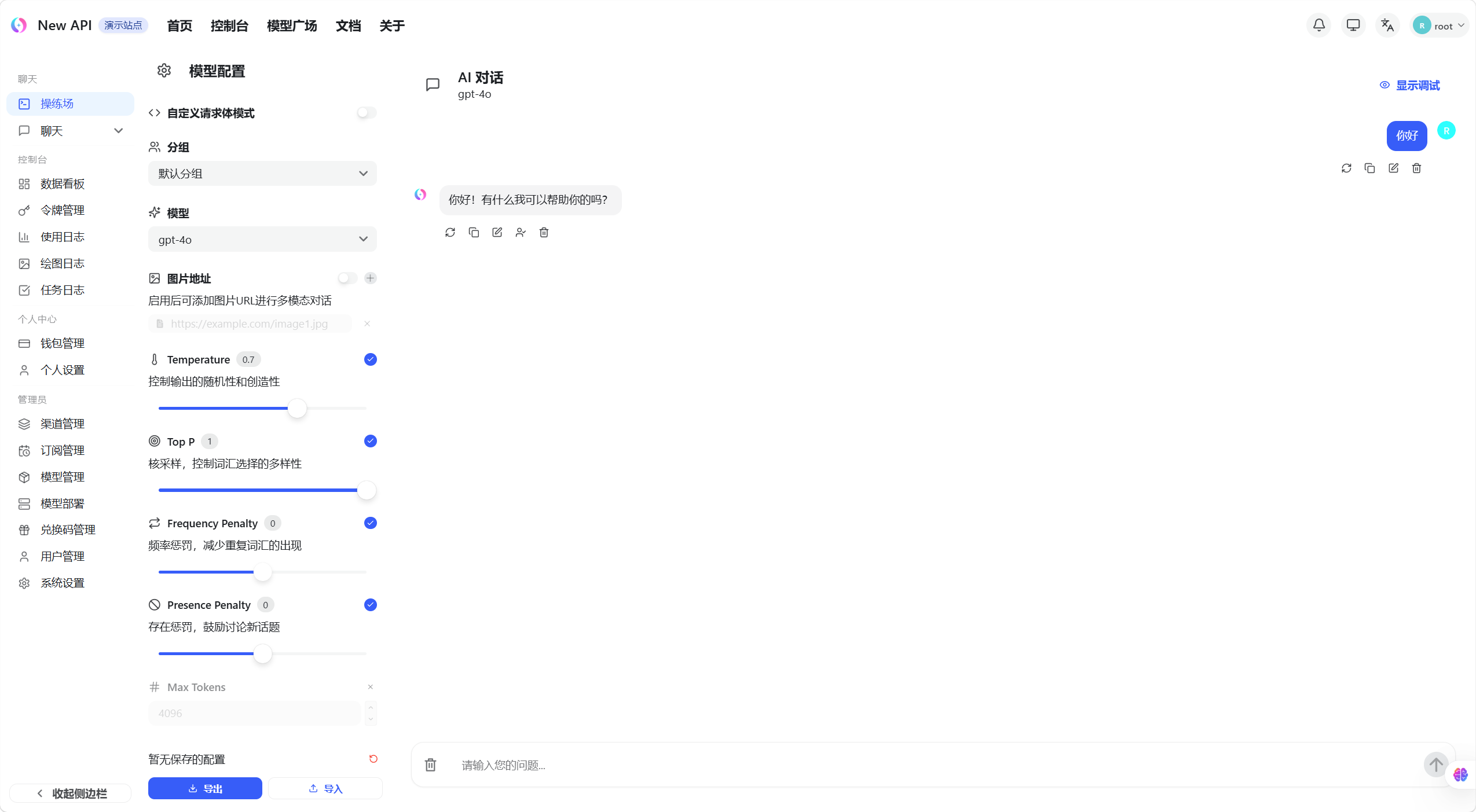
- Select the model you want to test from the left panel
- Type a message in the input box at the bottom and click Send
- The model's response appears in the conversation area on the right
Get the API Address
- Visit the platform homepage
- Find the API Base URL display area in the middle of the page
- Click the copy button to copy the address to your clipboard
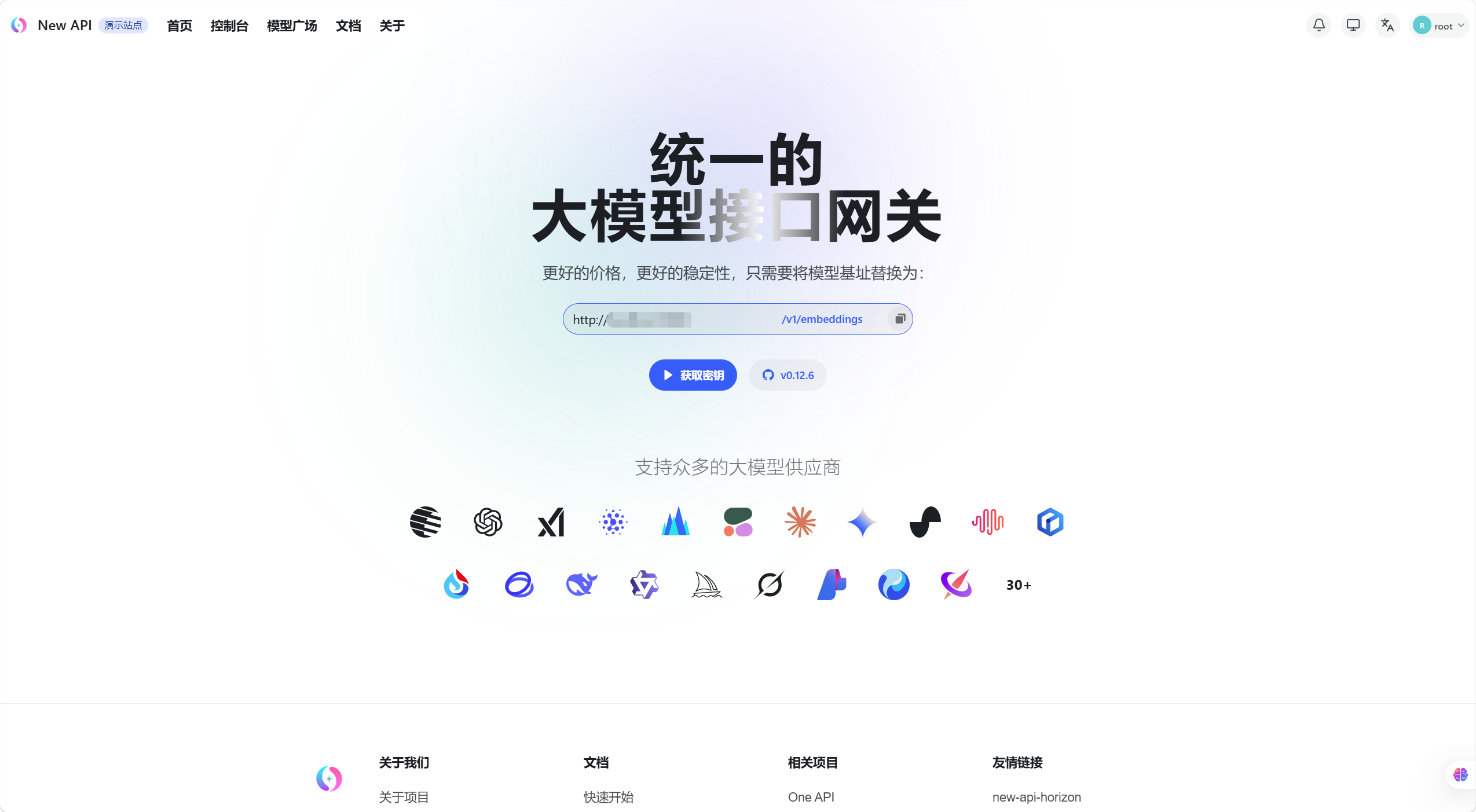
Use the copied address as base_url in your client or code, paired with your token.
Code Examples
Python (OpenAI SDK)
from openai import OpenAI

client = OpenAI(
    api_key="sk-xxxxxxxxxxxxxxxx",  # Your platform token
    base_url="https://your-platform.com/v1"
)

response = client.chat.completions.create(
    model="gpt-4o",
    messages=[{"role": "user", "content": "Hello!"}]
)
print(response.choices[0].message.content)
Claude Native Format
curl https://your-platform.com/v1/messages \
  -H "x-api-key: sk-xxxxxxxx" \
  -H "anthropic-version: 2023-06-01" \
  -H "content-type: application/json" \
  -d '{"model": "claude-3-5-sonnet-20241022", "max_tokens": 1024, "messages": [{"role": "user", "content": "Hello"}]}'
Gemini Native Format
curl "https://your-platform.com/v1beta/models/gemini-1.5-pro:generateContent?key=sk-xxxxxxxx" \
  -H "Content-Type: application/json" \
  -d '{"contents": [{"parts": [{"text": "Hello"}]}]}'
Supported Endpoints
| Endpoint | Path | Description |
|---|---|---|
| Chat Completions | POST /v1/chat/completions |
Conversational generation with streaming support |
| Text Completions | POST /v1/completions |
Legacy completions endpoint |
| Embeddings | POST /v1/embeddings |
Text vectorization |
| Image Generation | POST /v1/images/generations |
Text-to-image |
| Image Editing | POST /v1/images/edits |
Image editing |
| Speech-to-Text | POST /v1/audio/transcriptions |
Whisper and others |
| Text-to-Speech | POST /v1/audio/speech |
TTS |
| Rerank | POST /v1/rerank |
Document reranking |
| Responses API | POST /v1/responses |
OpenAI Responses format |
| Realtime | GET /v1/realtime (WebSocket) |
OpenAI Realtime API |
| Models | GET /v1/models |
List available models |